What's this call?
Job interviewSales callPitch
Senior PM role at a fintech. Talk about the checkout rollback…
✦ PlanOpeningWhy usClose
Brief it, get a plan
Your story and goal in. A script for the call out.
It hears both sides of the call and writes your answer right under the camera, from your own facts, while they're still talking.
Free to tryPrompter $19, onceAI from $19 a weekmacOS 26
An animation: a person on a video call asks a question, the black panel under the camera shows an answer written by the AI, and its words fade out as the user speaks.
Works on any callZoom · Google Meet · Microsoft Teams · FaceTime · Slack · Webex
You know the answer. It's the first sentence that freezes. Impro hands you that sentence before the silence gets long, then follows your voice through the rest.
Tap one and see what appears under your camera.
They ask“Why should we hire you?”
What's this call?
Your story and goal in. A script for the call out.
One shortcut. No bot joins the call.
Say it, then read on or improvise.
Skip a line or go back. It finds you.
Not in screen share, recordings or screenshots.
Switch with ⌥1, ⌥2, ⌥3, mid-sentence.
Only the words that matter light up. Numbers as digits, your own short forms.
Sound like yourself
on your best day.
Claude Opus 5 on every reply. Your story only from your briefing; the rest from what it knows.
Your experience comes only from you.
Every call makes it sound more like you.
Casual or strict. Loosens up with you.
Audio never leaves your Mac. We never store the text.
Every call teaches it how you talk: how you open, how long you go. Add the phrases you love and the words you'd never say. It answers the way you would on your best day, with a hundred times the recall.
Only your own words, and the call itself isn't kept. The note on how you talk stays on your Mac, and you can edit or wipe it. On Pro.
“How would you scale this to ten million users?”
The follow-up he didn’t prep, answered from his own projects in the briefing.
A toast, a pitch, a story, stand-up. Impro writes the talk a few sentences ahead of your voice, in your words, and lands it on time.
On a topic, a toast, a pitch, a story, an explainer, stand-up.
From the board room to an open mic, on one slider.
One to ten minutes, with an opening, a middle and a real ending.
Say it your way or wander off. It carries on from what you actually said.
No topic? Get one for the kind of talk you picked, and practise.
It knows you from your briefing and how you talk, and never invents facts about you. On Pro.
Impro as it is today, on its demo scripts.
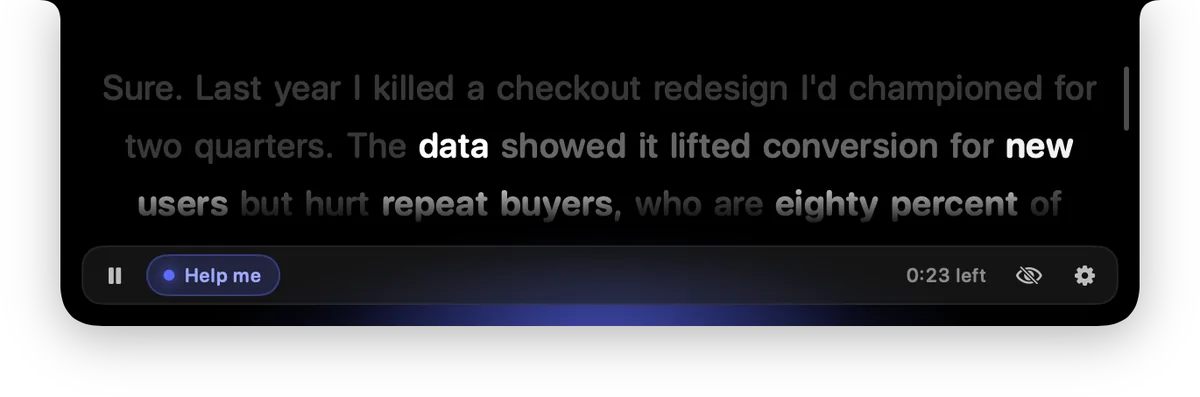
Point at the panel for pause, stop and Help me. Impro has heard the call: it answers what's still open, the latest question first, and the lines change at once.
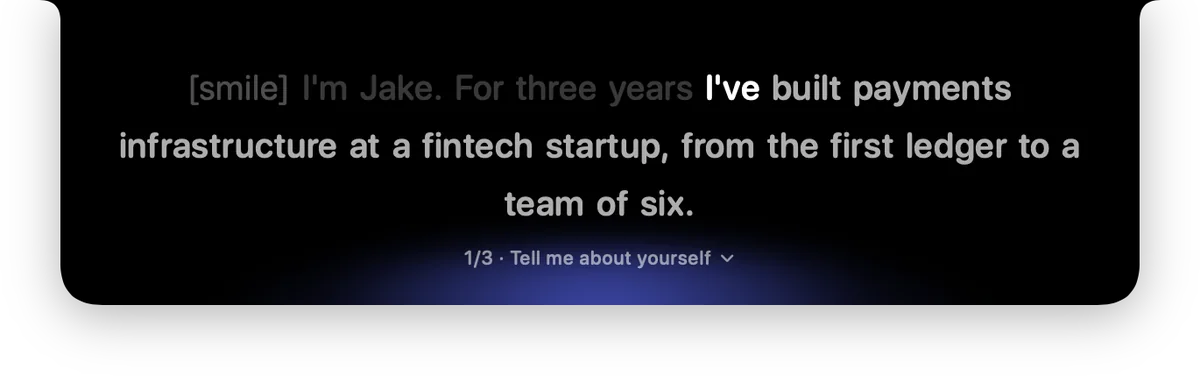
One part at a time, the running order a click away, ⌥↓ to move on. Pause and Resume sit right under your lines.
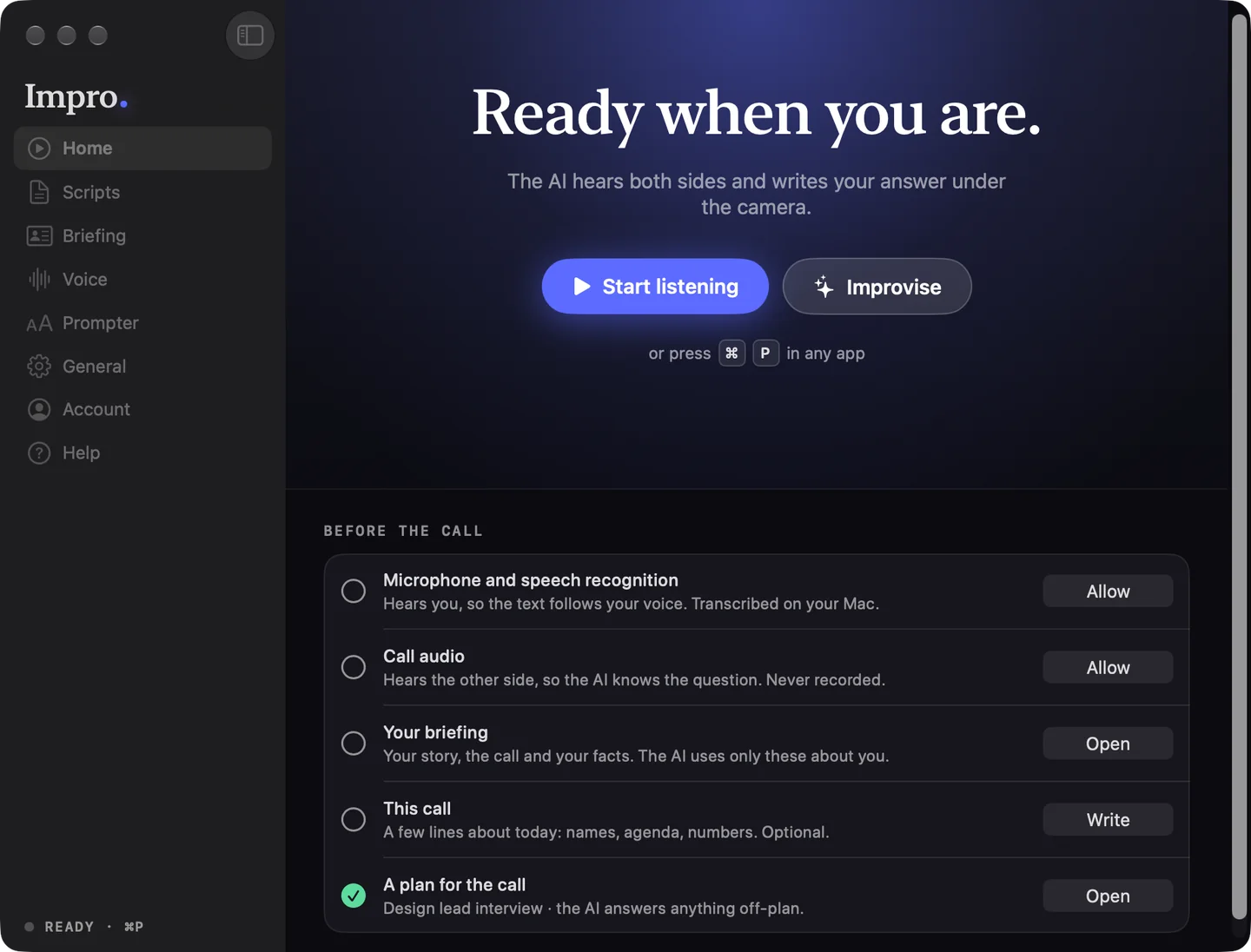
Home shows what's missing before a call and the button that fixes it. Then ⌘P, from any app.
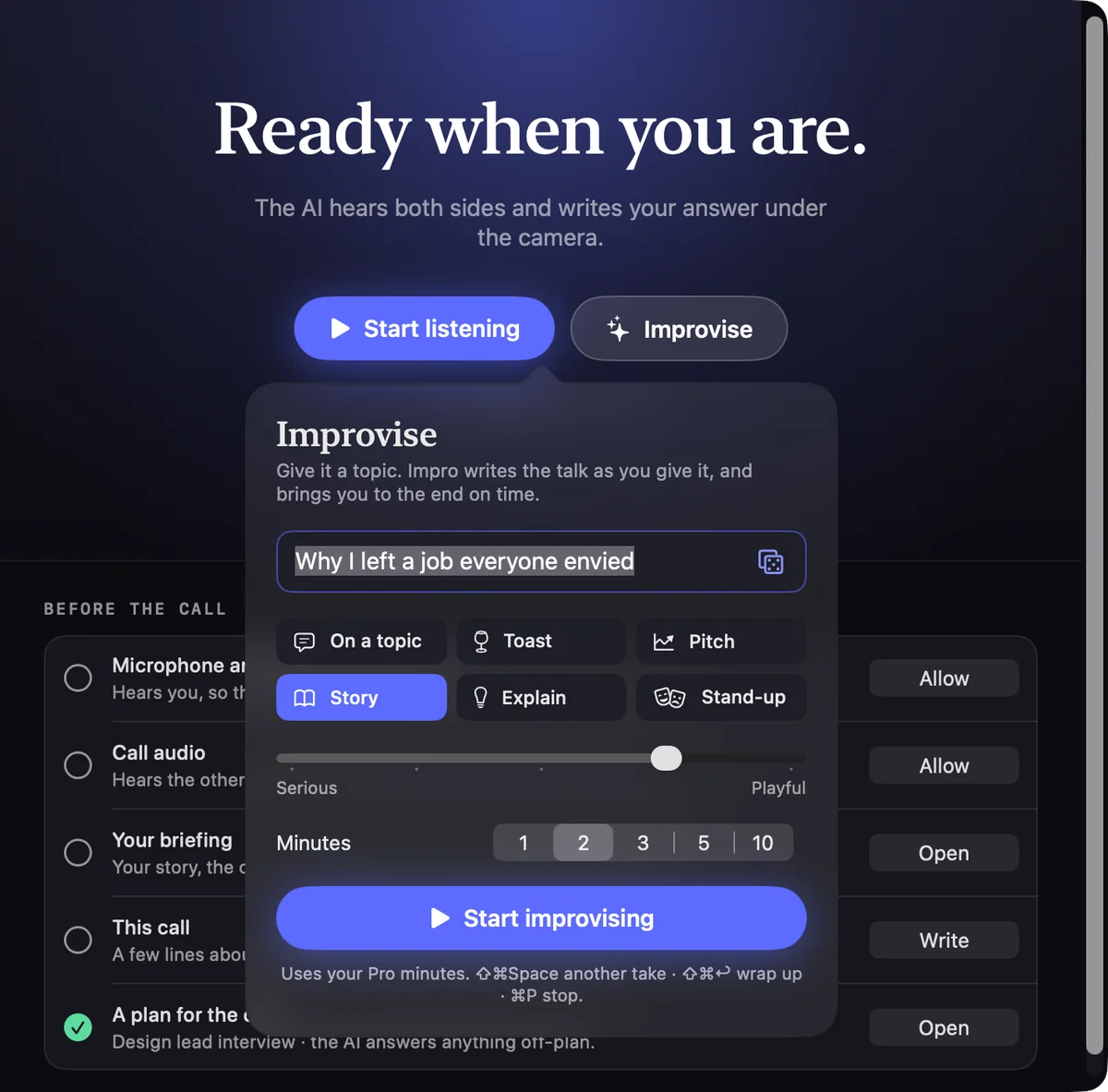
A topic, or roll the dice. The kind of talk, serious to playful, one to ten minutes. Impro writes it as you speak and lands it on time.
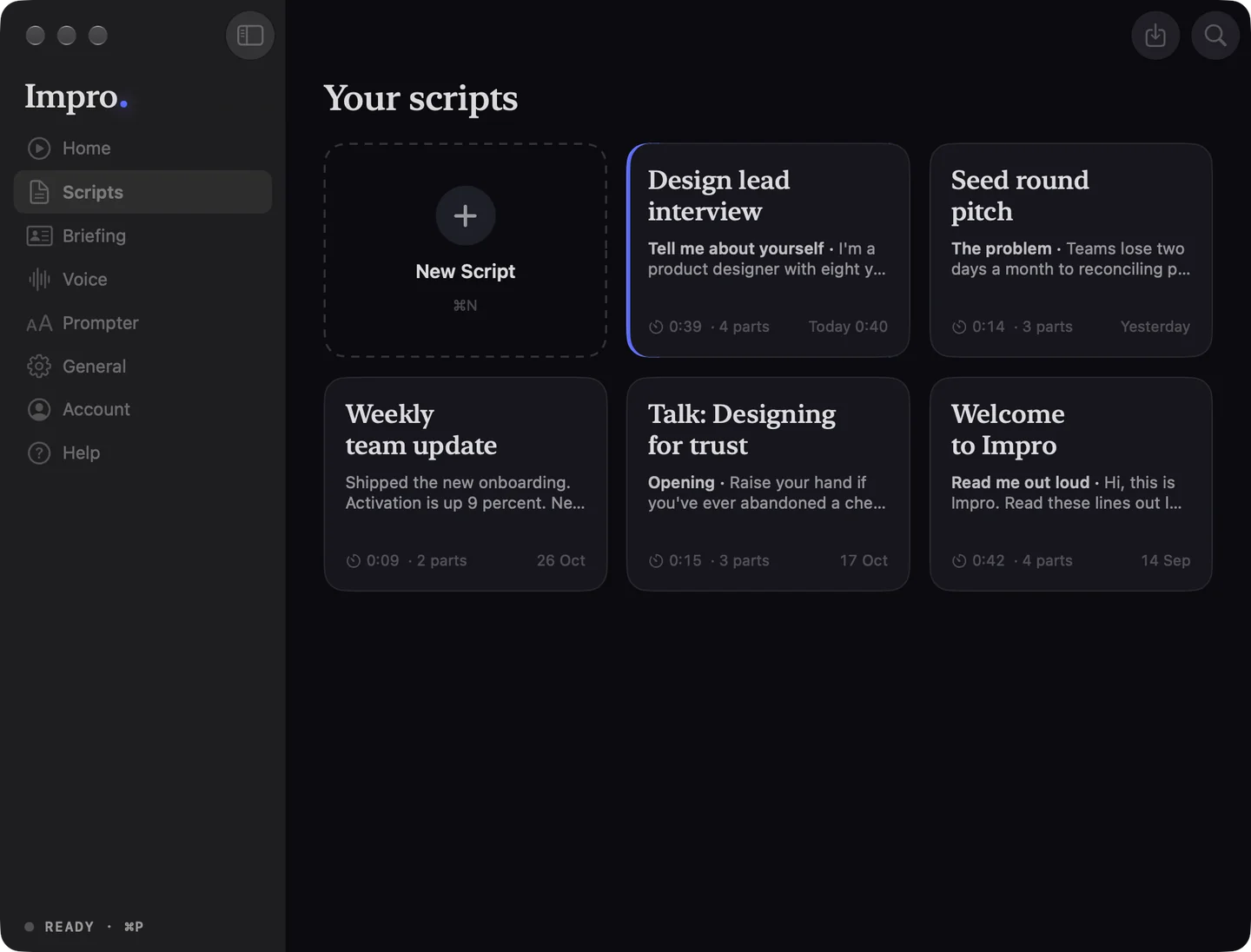
Every script is a card with its parts and reading time. Click to edit, ▶ to read. Drop in Word, PowerPoint notes or Markdown.
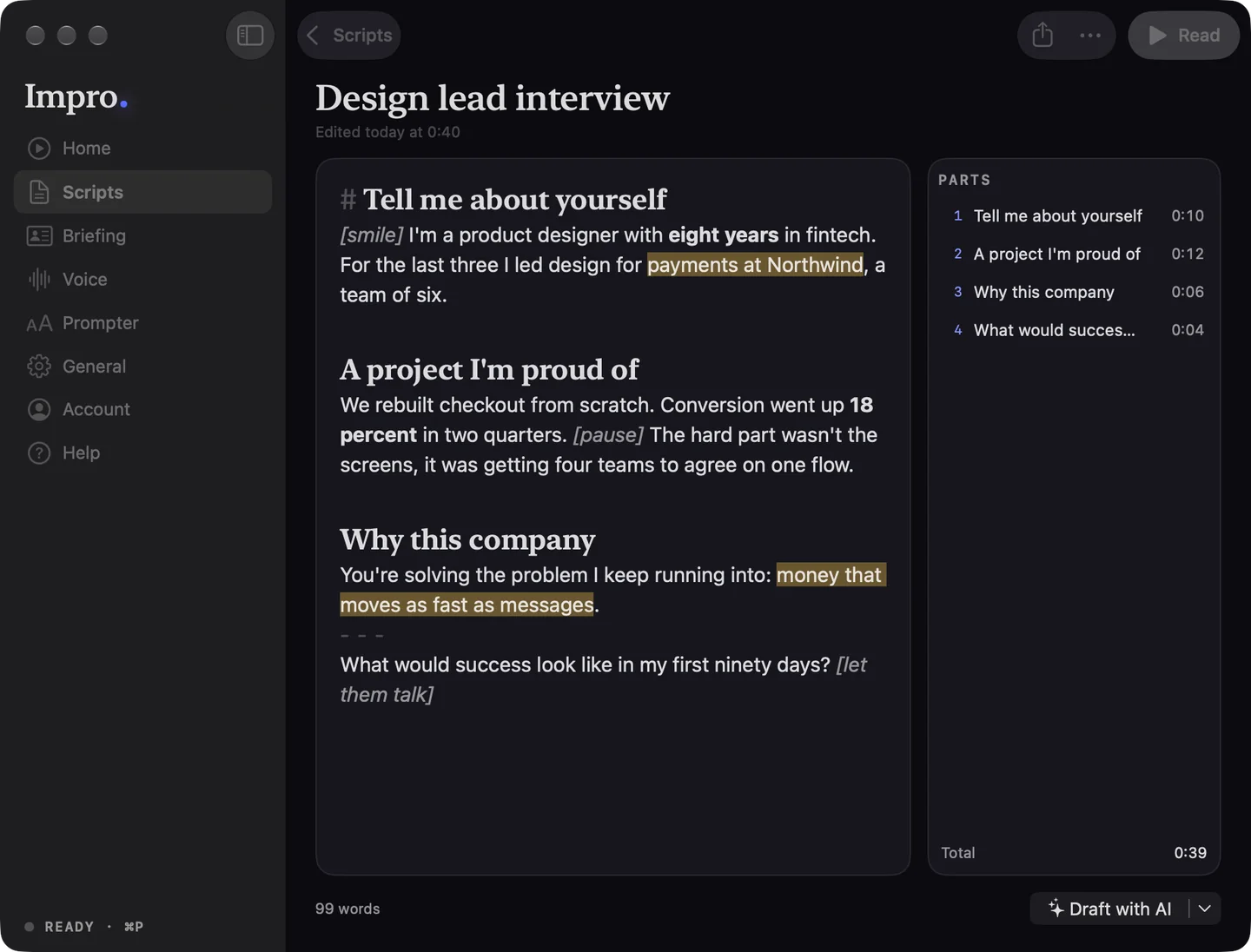
⌘B for bold, ⌘⇧M for a marker, [brackets] for cues, ⌘1 for a new part. Each part shows how long it takes at your pace.
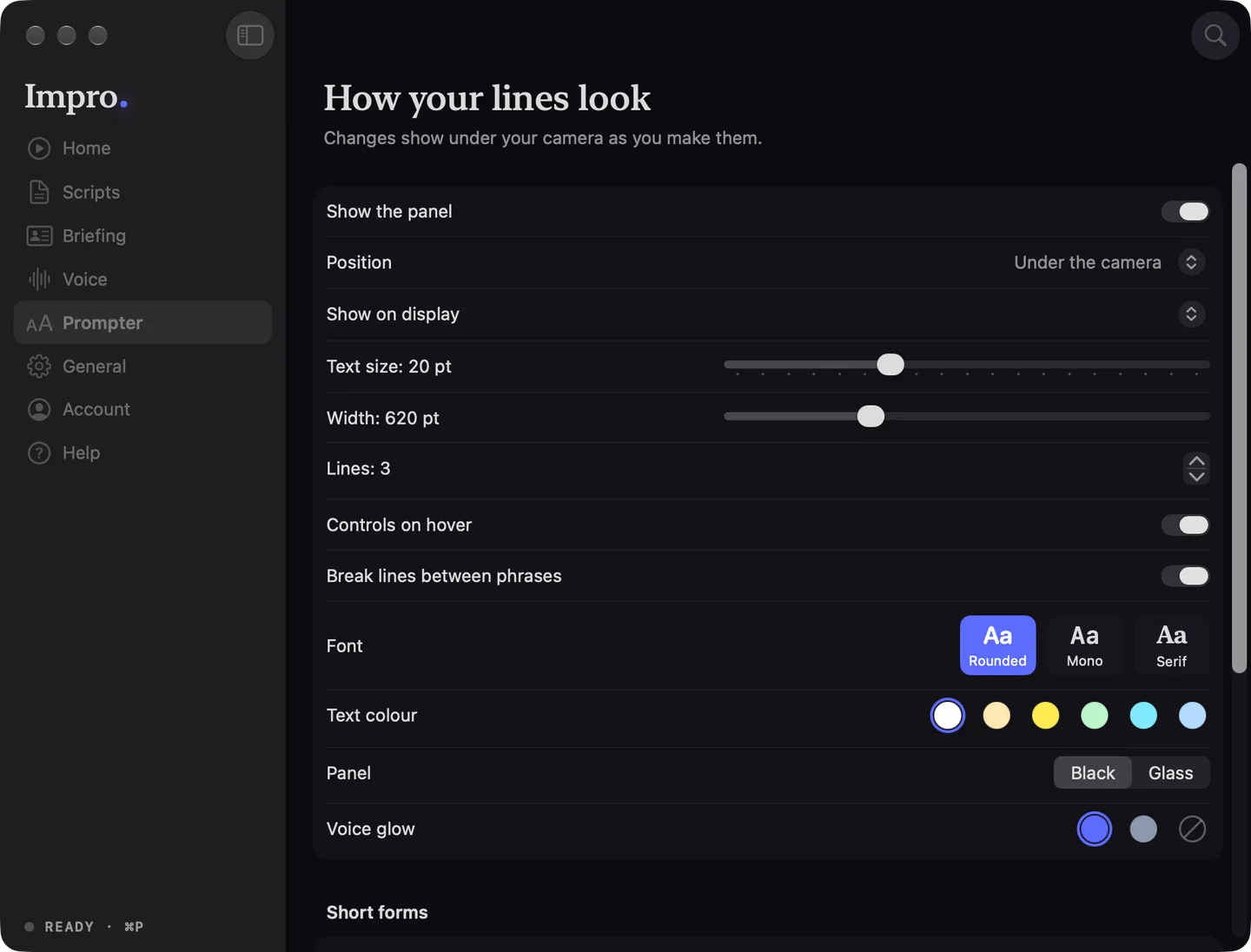
Font, colour, width and lines, black or Liquid Glass, with a live preview under your camera. Short forms for words and phrases: say “year over year”, read “YoY”.
⌘F finds scripts, settings and help as you type.
What it needs before a call, how it went after. Never while you read.
Thirty seconds to learn your room's noise and your pace.
Your voice, the pace and the next answer all wait for Resume.
Under the notch, or floating under an external camera. Other Screen moves it.
⌘P to start, ⌥↓ for the next part, ⇧ and the arrows to move and pace.
In the menu bar while you talk, steady to the second.
Nothing named Impro in the Dock when you share your screen.
| Feature | Script teleprompters | AI assistants in a side window | Impro |
|---|---|---|---|
| AI writes your answer during the call | No | Yes | Yes |
| AI answers from your own briefing | No | Varies | Yes |
| Text right under the camera | Yes | No | Yes |
| Follows your voice as you speak | Some | No | Yes |
| No bot joins the meeting | Yes | Varies | Yes |
Every answer you prepared, one key apart. $19, one time.
One-time paymentNo subscriptionUpdates included
Free to try. The prompter is yours for $19, once. Pro adds the AI, prompter included.
Try the prompter on a short script.
Your own script, any length. Forever.
Impro writes your answers live.
Minutes count only while Impro is listening. Unused minutes don't roll over. Cancel in one click. Refund policy.
Claude by Anthropic. Pro uses Claude Opus 5, Anthropic's best model, on every reply. Free and Prompter have no AI. Speech recognition is Apple's, on your Mac.
Not about you. Your experience, numbers, names and promises come only from your briefing and the call; when one is missing, you get a natural line to buy time or a question to ask back. Questions about the world, like how something works or what a term means, it answers from what it knows, plainly and with a hedge when it isn't sure. It never claims you did something you didn't. The better your briefing, the better your lines.
Yes. After each call with the AI, Impro reads only what you said and keeps a short note on how you talk: how you open an answer, how long your sentences run, the phrases you use and the ones you never would. Every answer after that is written in that voice. Facts you mention about yourself are suggested for your briefing and used only once you add them. The note stays on your Mac; edit it or wipe it in Briefing.
Yes. A slider sets where every call starts, from talking to a friend to a board room. Add phrases you like to say and words you never would; the AI uses the first when they fit and never writes the second. With Follow the conversation on, answers loosen up when you and the other person do, never more casual than them, and every call starts again from your slider. During a call, right-click the panel ▸ Answers to nudge it.
Yes. In Scripts, Draft with AI turns your briefing and call topic into a plan: an opening, your story in a minute, the questions they'll likely ask with your answers, questions to ask them, and a close. Talking points by default, full sentences if you prefer. Where a fact about you is missing it leaves a gap in [brackets] for you to fill, never a guess. On the call each part is a section: when they ask something the plan already covers, Impro shows that part; when they go off-plan, the AI answers live, and once you've said it the plan comes back where you left it.
Point at the panel and press Help me, or ⇧⌘Space. Impro has heard the call, so it finds what the other person asked that you haven't answered yet, the latest first, and writes your next lines: often a quick restatement of the question in your words, then the answer. If nothing is open, it gives you something worth saying on the topic. The text changes at once. On Pro.
Talking on a topic with nothing prepared: a toast, a pitch, a story, an explainer or stand-up. Give Impro the topic (or roll the dice for one), pick how serious or playful, and how long. It writes the talk a few sentences ahead of your voice, carries on from what you actually say, and brings you to a real ending on time, or the moment you press ⇧⌘↩ to wrap up. It sounds like you because it knows your briefing and how you talk, and it never makes up facts about you. Improv is part of Pro.
The lines sit directly under your camera, so your eyes stay where they'd be anyway, and the line you're reading never moves away from the lens. Keywords mode lets you skim instead of read. Short answers are the default for the same reason.
Mostly you won't: the text follows your voice, and if you skip a line or go back, Impro finds the last few words you said and moves there. Click your lines to pause them (click again to go on), scroll them with the trackpad, or jump between sections of your script with ⌥↓ and ⌥↑, nudge it a line with ⇧↑ and ⇧↓. It learns the names and terms in your script and briefing, so they don't throw it off.
It's your facts, your briefing and your voice. Impro finds the words faster than nerves do, and when a question is outside your field it explains it plainly, without pretending it's your experience. Use it the way you'd use notes and a smart friend on the desk. For exams or assessments, check the rules first.
Audio never leaves your Mac: speech is transcribed on-device by Apple's models. Only the last few minutes of transcript and your briefing go to our server, which asks Claude to write the lines through Anthropic's API, which doesn't train models on API data by default. We keep a count of minutes, replies and tokens, never the text. The note on how you talk, learned from your own words, stays on your Mac.
We recommend them. Impro captures the call audio directly from macOS, so it hears the other side even when nothing comes out of the speakers. With speakers, your microphone hears both of you and the lines get worse.
30+ on-device, including English, Spanish, German, French, Italian, Portuguese, Japanese, Korean and Chinese. Russian, Ukrainian, Hebrew, Arabic, Hindi and others work through Apple's cloud recogniser. A call is in one language: Impro hears both sides in it and writes your lines in it.
After checkout you get an email with a key (IMPR-XXXX-XXXX-XXXX). Enter it in Impro with the email you bought with. It works on one Mac at a time; unlink it to move to another. Prompter is yours for good. Pro includes the prompter while you're subscribed; cancel in one click from Manage Subscription and keep access until the period ends. If you also own Prompter, it keeps working after Pro ends.
Free and Prompter are the same teleprompter: your script under the camera, scrolling as you speak. Free shows scripts up to 150 words and is visible on screen share and recordings, so try it on a practice call. Prompter lifts the limit and hides the prompter from capture, for a one-time $19, and stays yours. Pro adds the AI that hears the call and writes your answers, and includes Prompter while you're subscribed. The AI has no trial because every reply costs real model time. The cheap way to try it is a week of Pro: use it for a week of interviews and cancel when you're done.
Impro tells you at 80 %, stops preparing alternate directions in the background at 90 %, and stops writing at 100 % until the next monthly window, or the moment you upgrade. The free prompter keeps working meanwhile.
That's fine. On a display without a notch, Impro sits at the top centre, right below the menu bar, which is where most external webcams are. Pick the display in Prompter ▸ Show on display, or right-click the panel ▸ Position ▸ Other Screen.
macOS 26 or later on Apple Silicon. Any app that plays call audio: Zoom, Google Meet, Teams, FaceTime, Slack huddles. No bots, no plug-ins.
macOS 26 · Apple Silicon · about 12 MB